

Central knowledge library
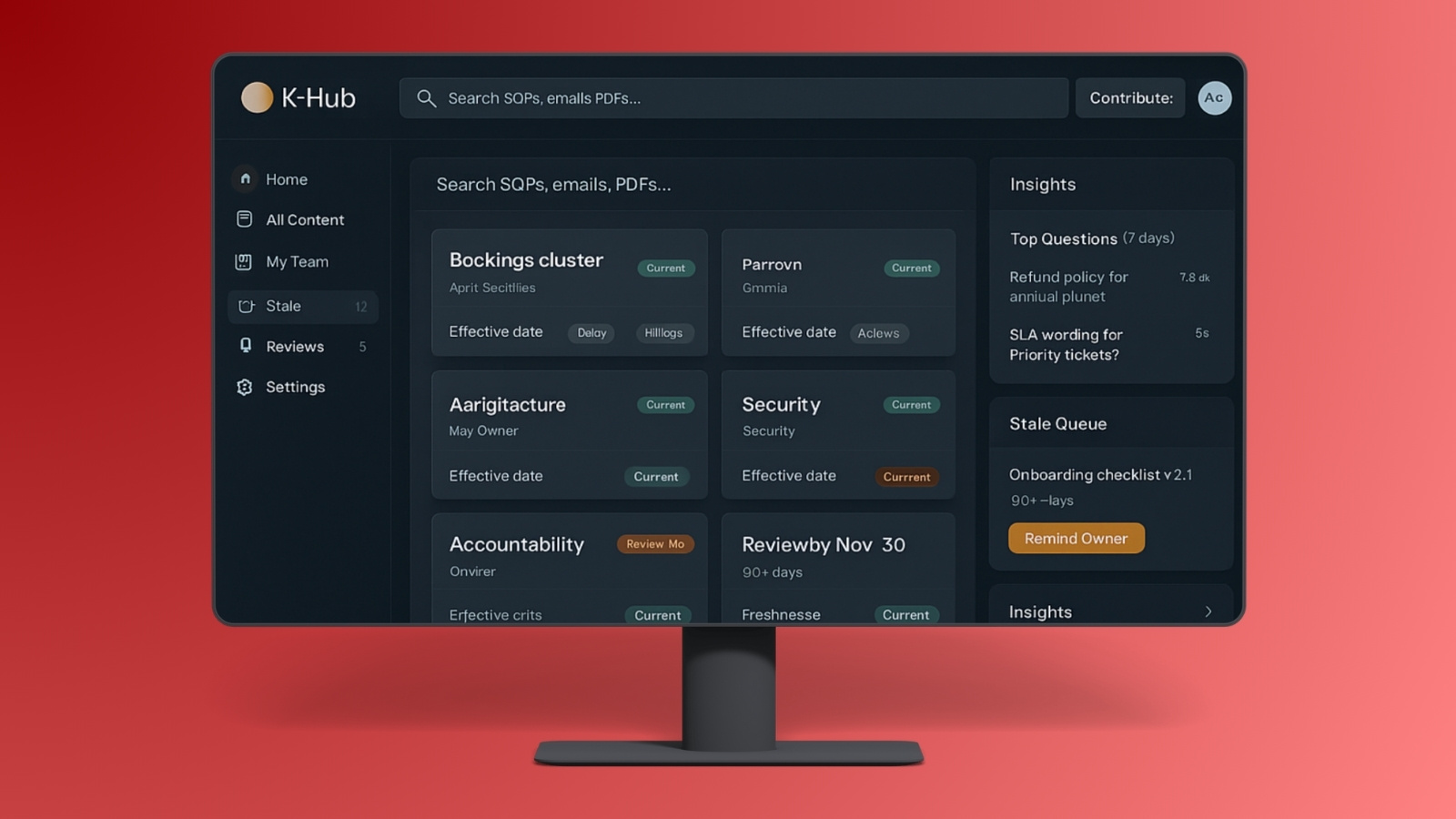
One place for approved docs, templates, and internal guidance, structured for search and reuse.
- Clear titles, tags, owners, effective dates
- One current version per item
Case study
A professional services team had important guidance spread across PDFs, shared folders, and email threads. People still got answers, but the process was slow and inconsistent. The goal was simple: one place to ask, one answer style, and a clear source every time.
Multiple teams supported clients across regions. Questions repeated daily, and the same topic could have five “current” versions. The bigger risk was not the volume. It was outdated wording showing up when it mattered.
The issue was not a lack of documentation. It was the lack of a single, governed “yes.” People were pulling answers from wherever they remembered last seeing them.
A common question turned into a repeatable manual loop.
We built a governed knowledge hub and an answering layer that always points back to source material. If the system cannot cite it, it does not present it as a fact. Ownership and review cadence are part of the workflow, not an afterthought.
One place for approved docs, templates, and internal guidance, structured for search and reuse.
Answers include citations that link back to the exact section used to respond.
Client-facing answers are restricted to approved content, separate from internal material.
Every important item has an owner and a review window, so “stale” becomes visible.
The same answer style across web chat, portal, and Slack or Teams so staff stop re-writing.
The biggest shift is that staff stopped hunting for “the right file.” They ask once, get a cited answer, and the same source is used across channels.
The value was not “more answers.” It was fewer variations. One answer style, one source trail, and an easier way to keep content current.
Early wins showed up as fewer repeat threads, faster onboarding, and less uncertainty about which version to use. The system reduced time lost to searching and re-writing.
Some details are simplified to protect client processes. This case study focuses on observed workflow outcomes during rollout and early adoption.
After the first rollout, the next work is refinement and resilience. Better gap detection, stronger review signals, and tighter control over how knowledge moves from internal to client-safe.
The hub is not just a search tool. It is an operational layer. When knowledge changes, ownership and approvals keep answers aligned across the org.
Governed library with structured ownership, review cadence, and clear “current version” visibility.
Replies include a source trail so staff can verify quickly and avoid re-writing from memory.
Same answer format across web chat, portal, and Slack or Teams to reduce drift.