
An MVP is a test, not a small product
The term comes from Eric Ries, who described a minimum viable product as the version that lets a team collect the most validated learning about customers with the least effort. The point is learning.
That changes how you scope it. You are not asking what the smallest product is that you could sell. You are asking what you most need to find out, and what is the least you can build to find it out.
Decide what you are testing
Every first version rests on a few assumptions. People have this problem. They will use software to solve it. They will pay, or it will save enough time to justify itself.
Write them down. The riskiest one is what your MVP should test.
Start here:
- Finish this sentence: we believe this kind of user will do this, because of this.
- Name the one assumption that would sink the idea if it were wrong.
- Decide what result would tell you to continue, change direction or stop.
The process
A sensible MVP runs in four steps.
- Discovery. Who the user is, the single job they need done, and how you will measure success. Days, not months.
- Design. A clickable prototype that real users can try. This is where you find out the flow is confusing, while fixing it costs almost nothing.
- Build. The core flow only, with a working demo every week or two.
- Launch and learn. Put it in front of real users, watch what they do, and decide what comes next from evidence.
What to leave out
This is where most first versions go wrong. Each addition feels reasonable. Together they double the build.
Things that can usually wait:
- Admin dashboards. A spreadsheet export is enough at first.
- Every user role. Start with the one that matters.
- Settings and preferences. Pick sensible defaults.
- A second platform. Launch on one, then expand.
- Automation of rare cases. Handle the exceptions by hand until you know they are common.
- Polish on screens few people see.
Things that cannot wait:
- The one flow that proves the idea. It has to work well.
- Security and privacy basics. Logins, permissions, protection of personal data.
- Compliance, if it applies. Health or payment data rules do not have a starter tier.
- A way to measure. If you cannot see what users do, you are not running a test.
What drives the cost
An MVP is priced like any software: hours of work and the team doing it. Four things move the number most.
- Number of features. In our planning a login with profiles is about 60 hours, and a custom feature about 120.
- Integrations. About 60 hours for each system the product must connect to.
- Platform. One codebase for web or hybrid mobile costs less than two native apps.
- Design. About a month if you arrive without one.
Keep 10 to 20 percent of the budget for launch and the fixes real users will surface. Hosting for a small first release often lands between $150 and $600 a month.
How long it takes
A focused MVP with the core flows usually takes 6 to 12 weeks to a first release. If your plan is longer than that, it is probably not minimal yet.
After launch
The first release is where the real work starts. Watch which features are used, where people get stuck and what they ask for. Then choose: build on it, change direction, or stop. All three are good outcomes of a test that cost weeks.
A free one-page MVP template
Copy these seven lines and fill them in before you talk to a developer. If you cannot fill one in, that is the thing to work out first.
- User: who this is for, in one sentence.
- Problem: the job they need done today, and how they do it now.
- Riskiest assumption: the one belief that sinks the idea if it is wrong.
- Core flow: the three to five steps a user takes to get the job done.
- Out of scope: everything you are choosing not to build yet.
- Measure: the number that tells you it worked.
- Decision date: when you will look at the result and decide what is next.
The short version
- Pick the riskiest assumption.
- Build only what tests it.
- Do not cut security or measurement.
- Launch in weeks and decide from evidence.
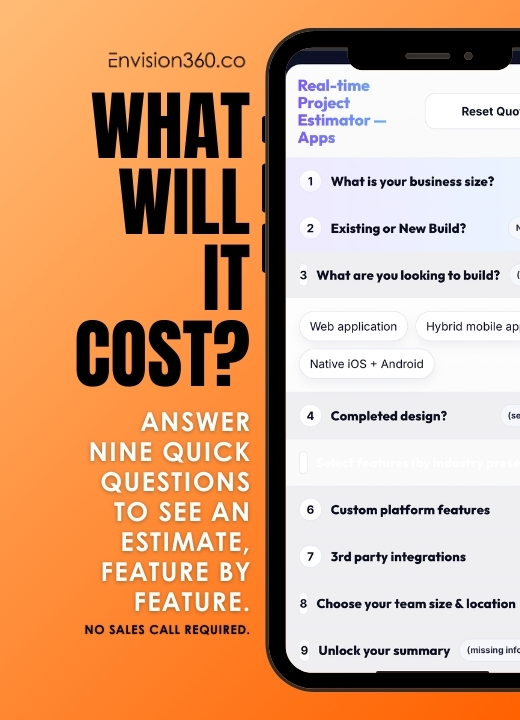
Next step: the app cost calculator lets you add and remove features and watch the estimate move. It is a quick way to see what a smaller first version saves.